Twelve views show how workflows are reviewed and inspected, how accounts are configured, and what structured data the apps keep. Select an image to read it at full size; all captures use light mode.
Workflows and settings
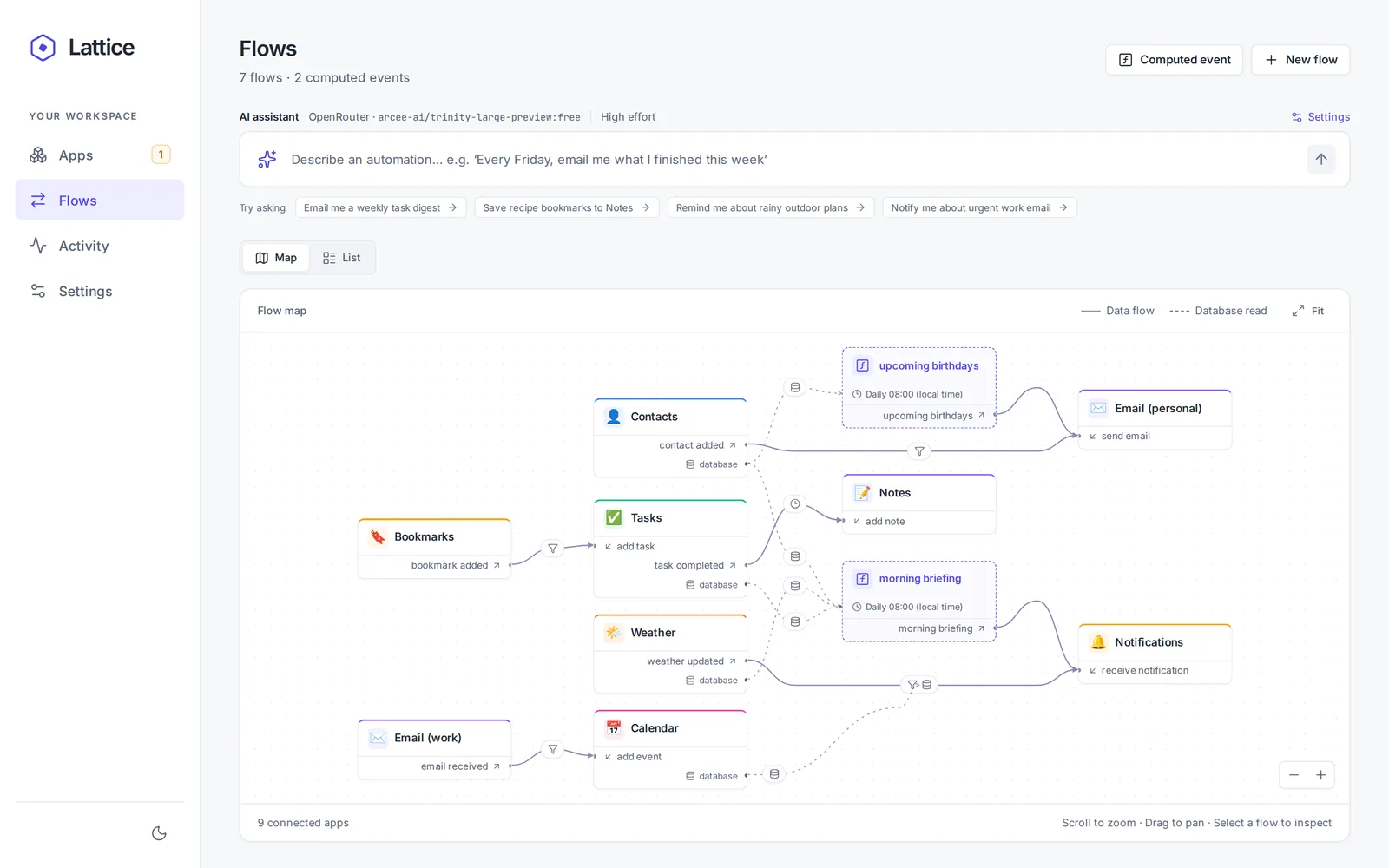
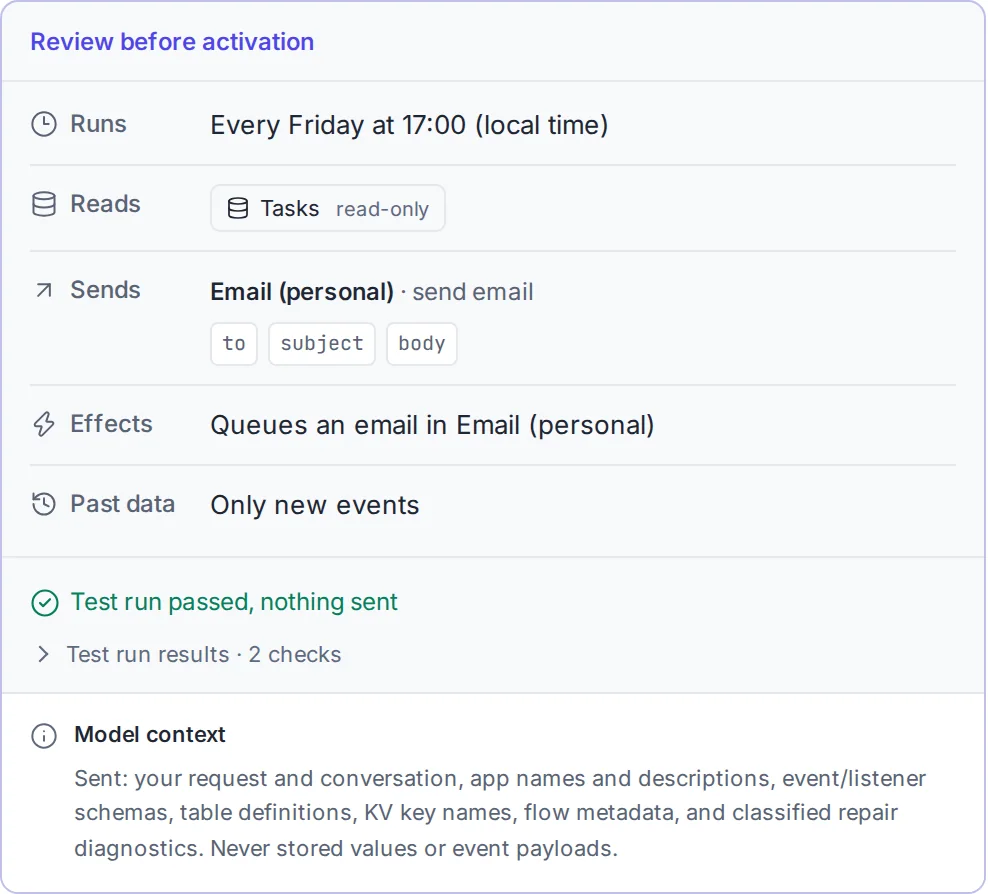
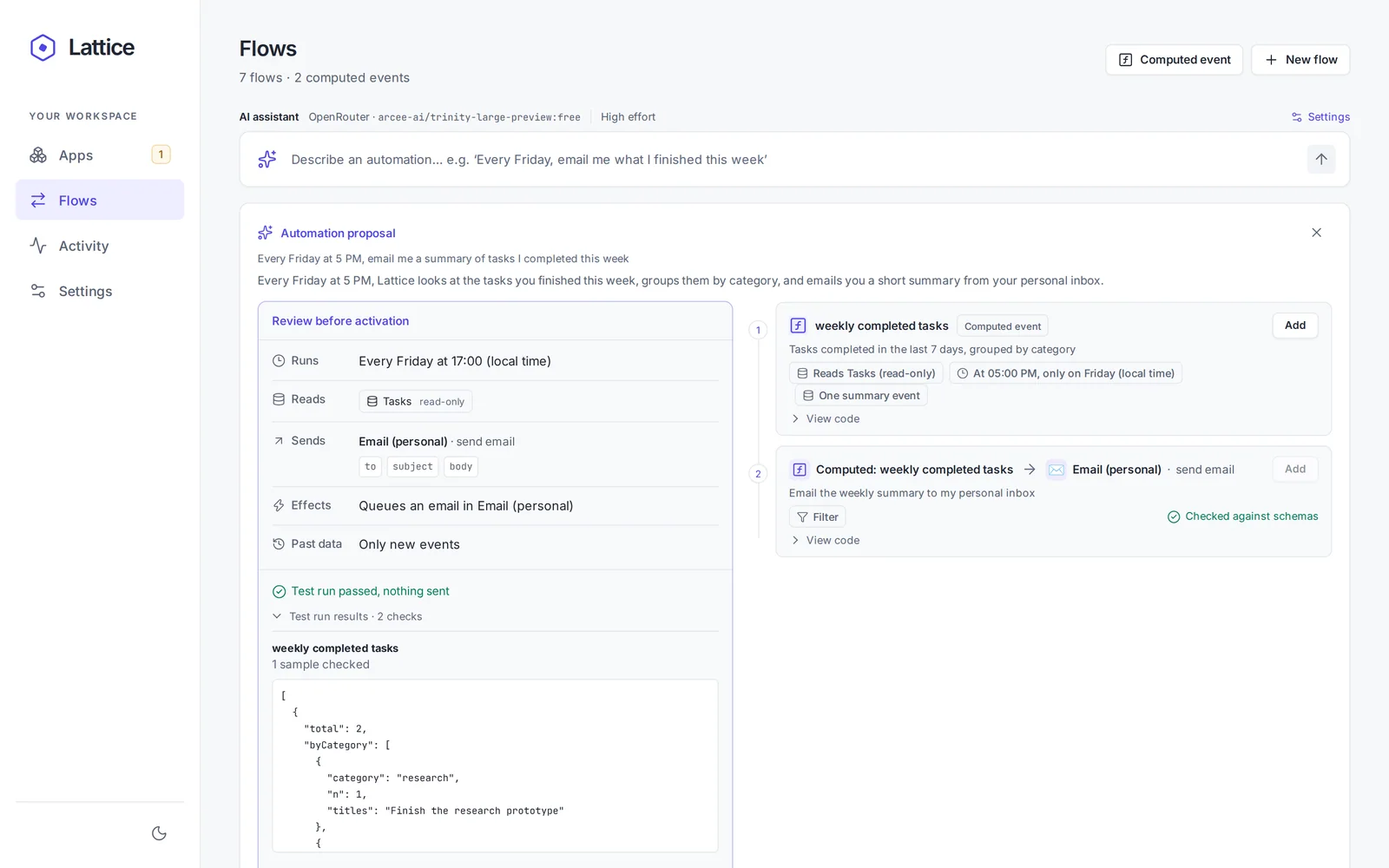
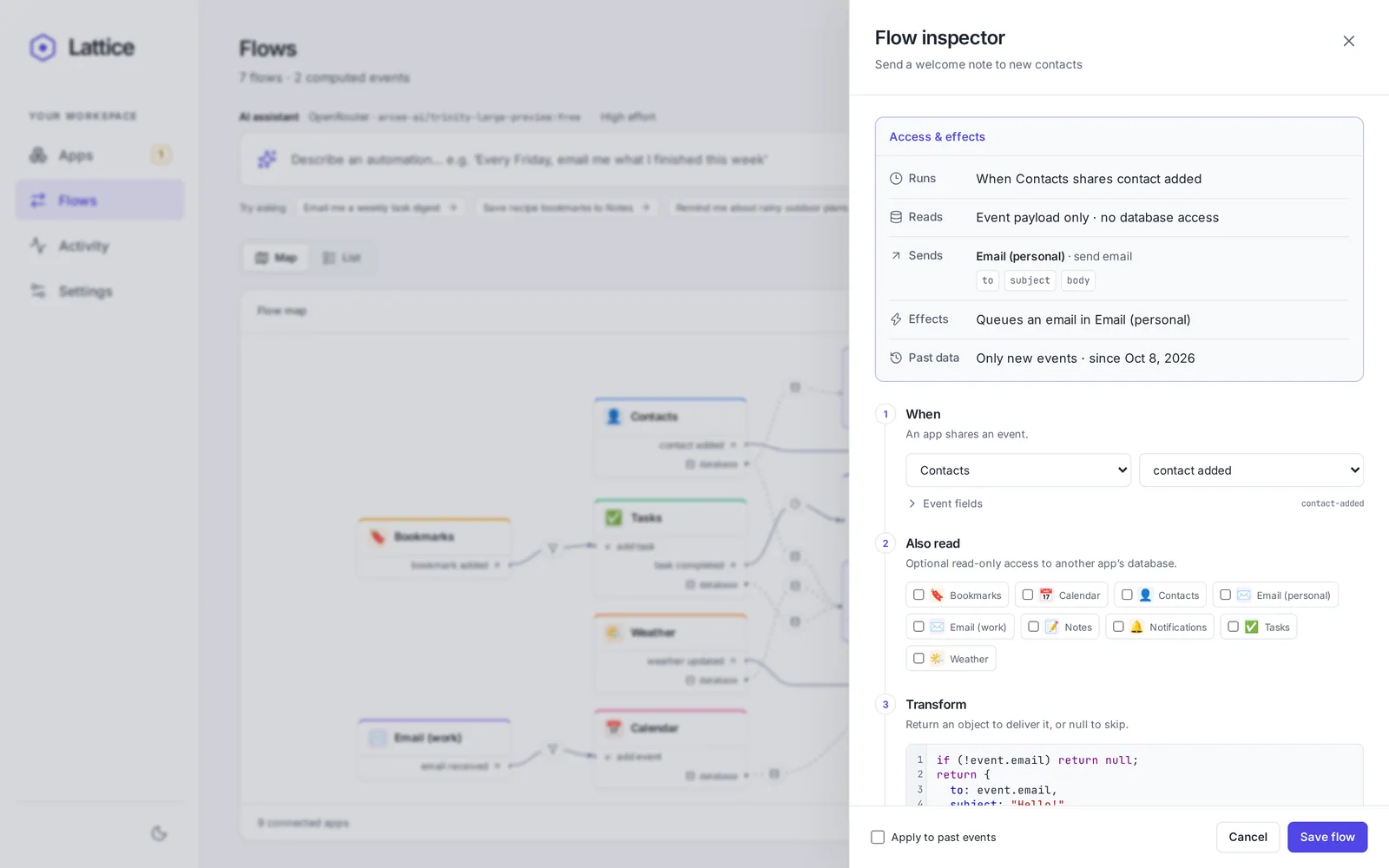
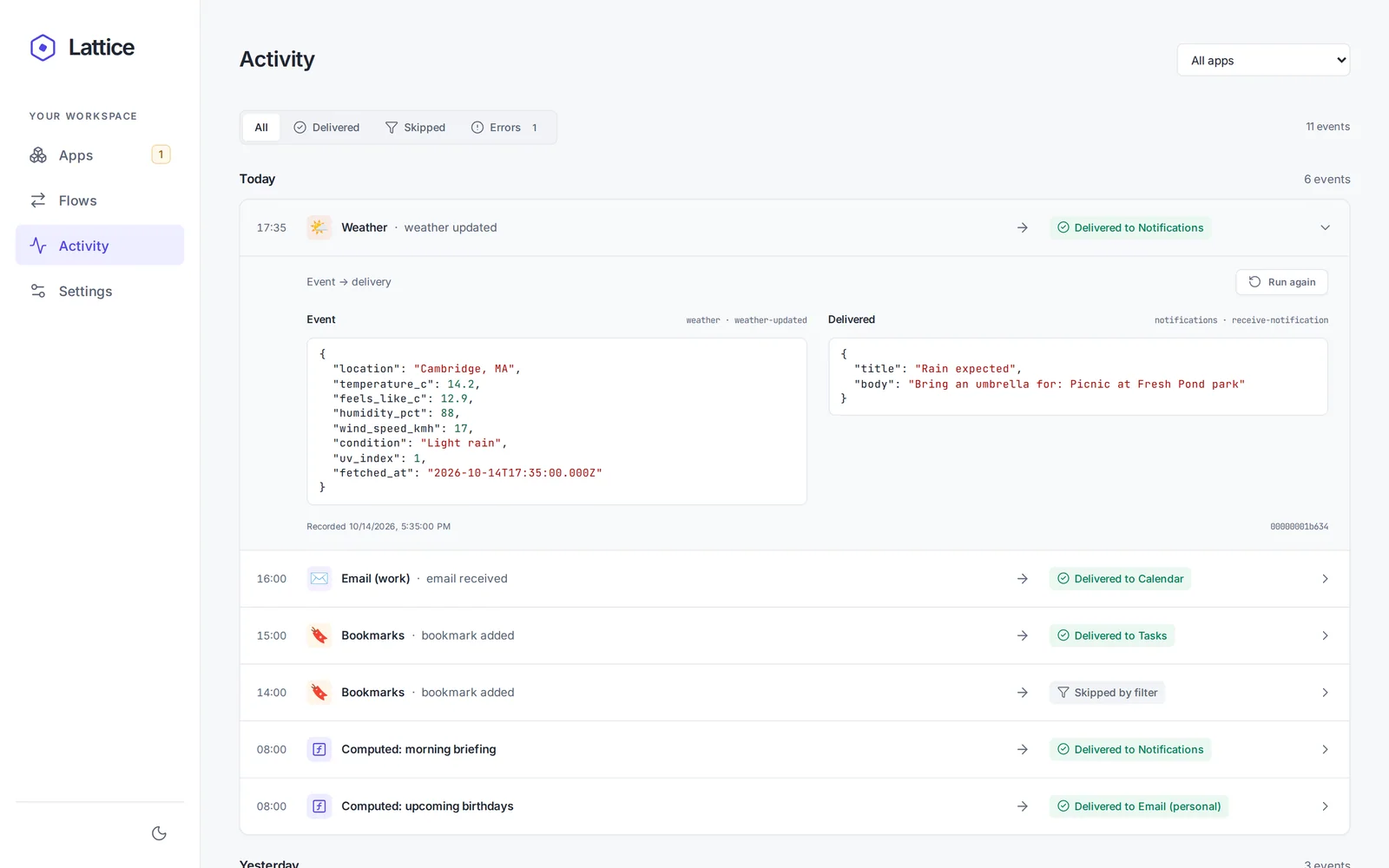
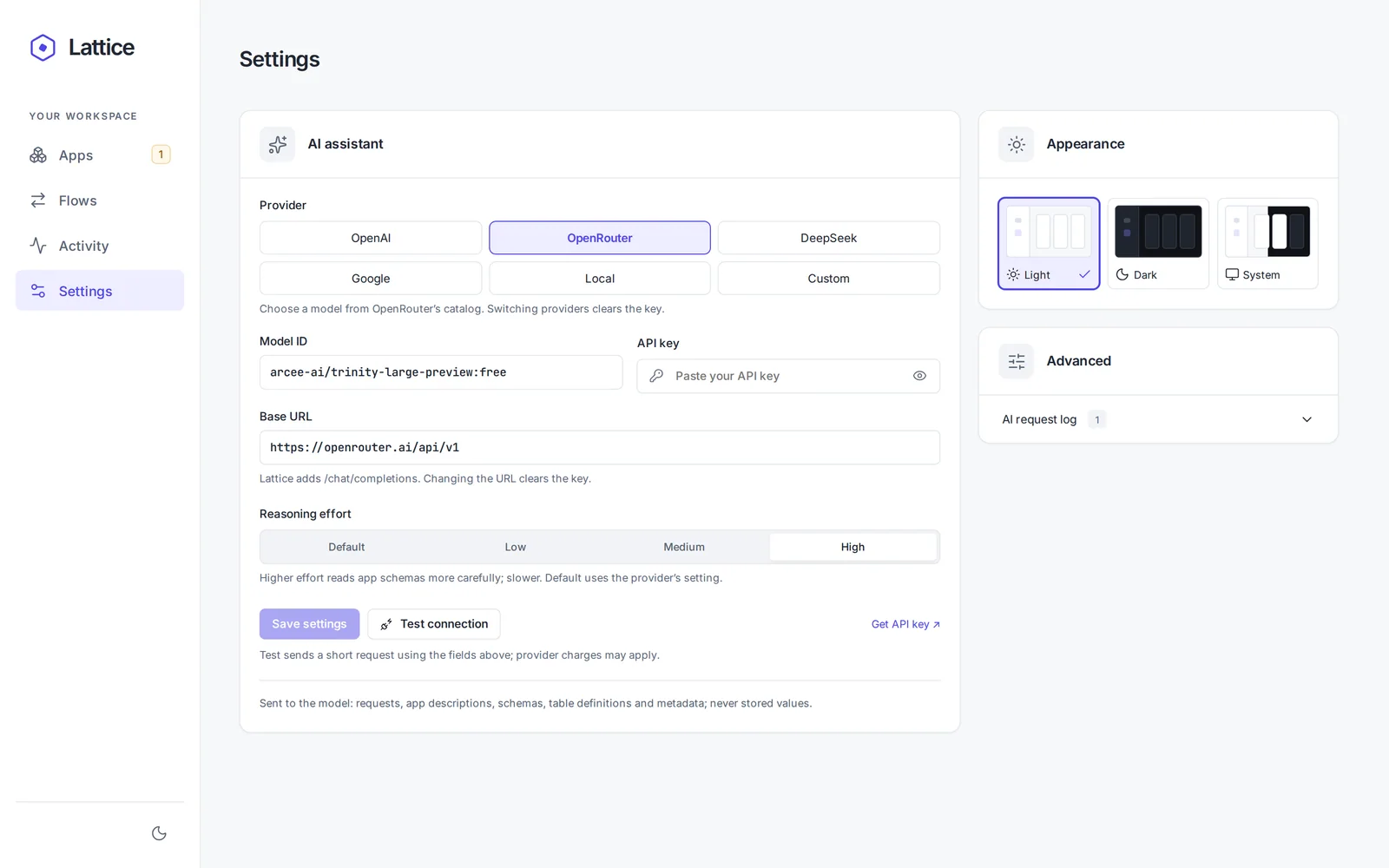
The flows map connects app events to computed events and recipients, with database reads drawn separately from deliveries.Before activation, the review card lists when a workflow runs, which databases it reads, where it sends data, and what it changes.Expanded test-run results show a sample computed output, so a proposal can be checked before anything is sent.The flow inspector puts the source, recipient, read grants, and transformation code together for inspection and editing.The activity log shows a source event beside its delivered payload, making the transformation visible after a run.AI settings specify the provider, endpoint, model, and reasoning effort used to author workflows.
Email accounts
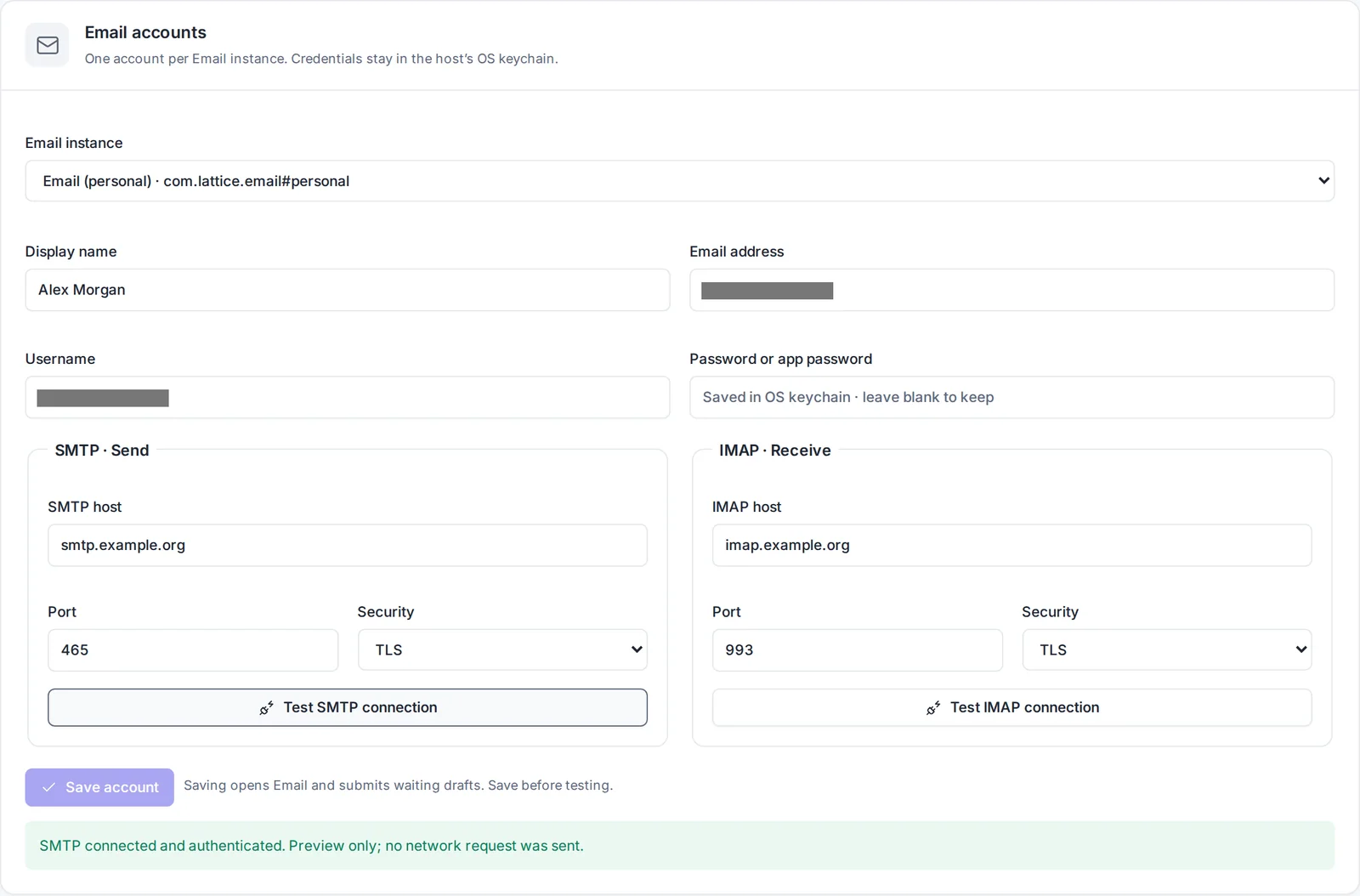
Email account settings configure SMTP and IMAP for each Email instance, with credentials stored in the operating system keychain.
App data
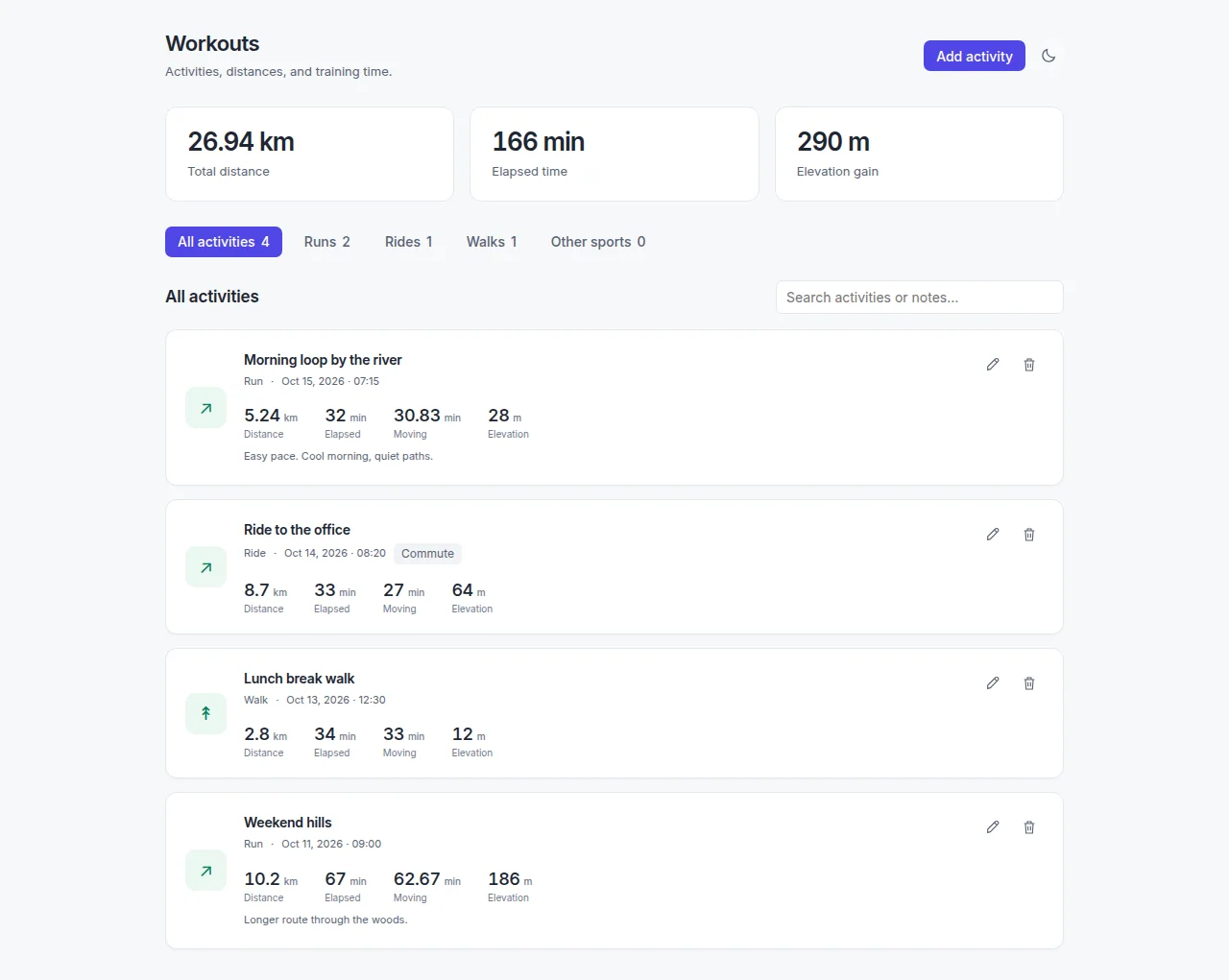
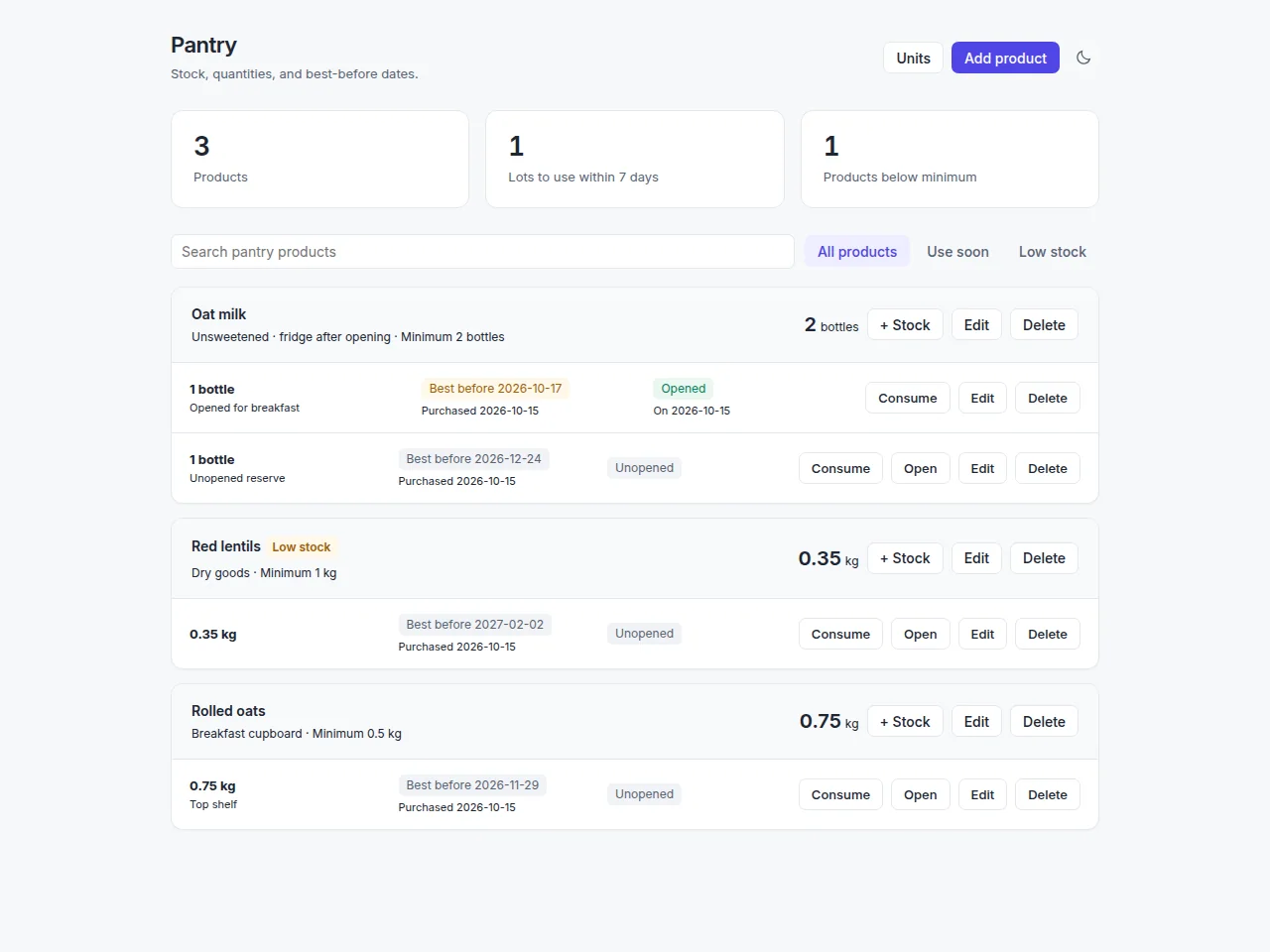
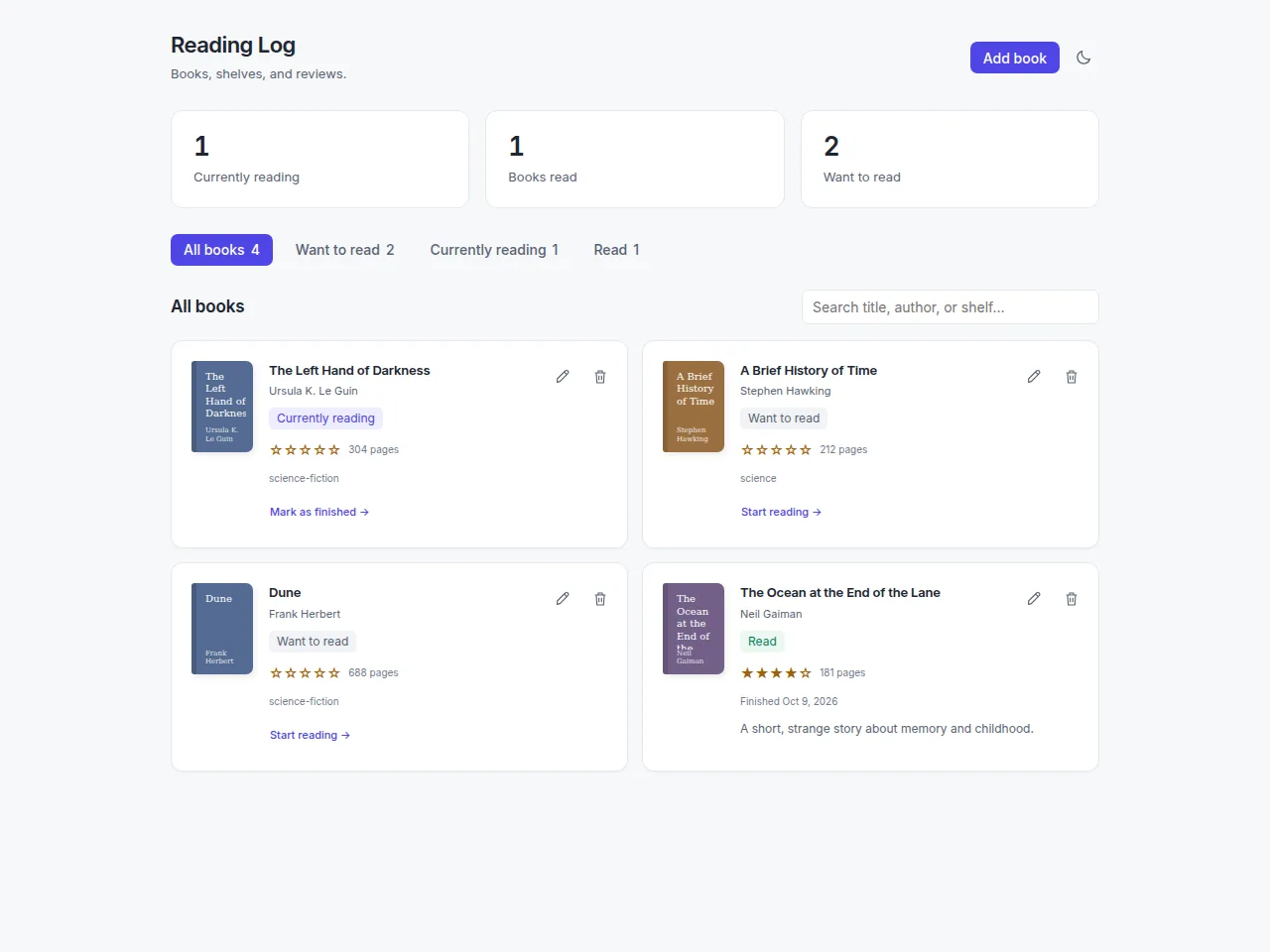
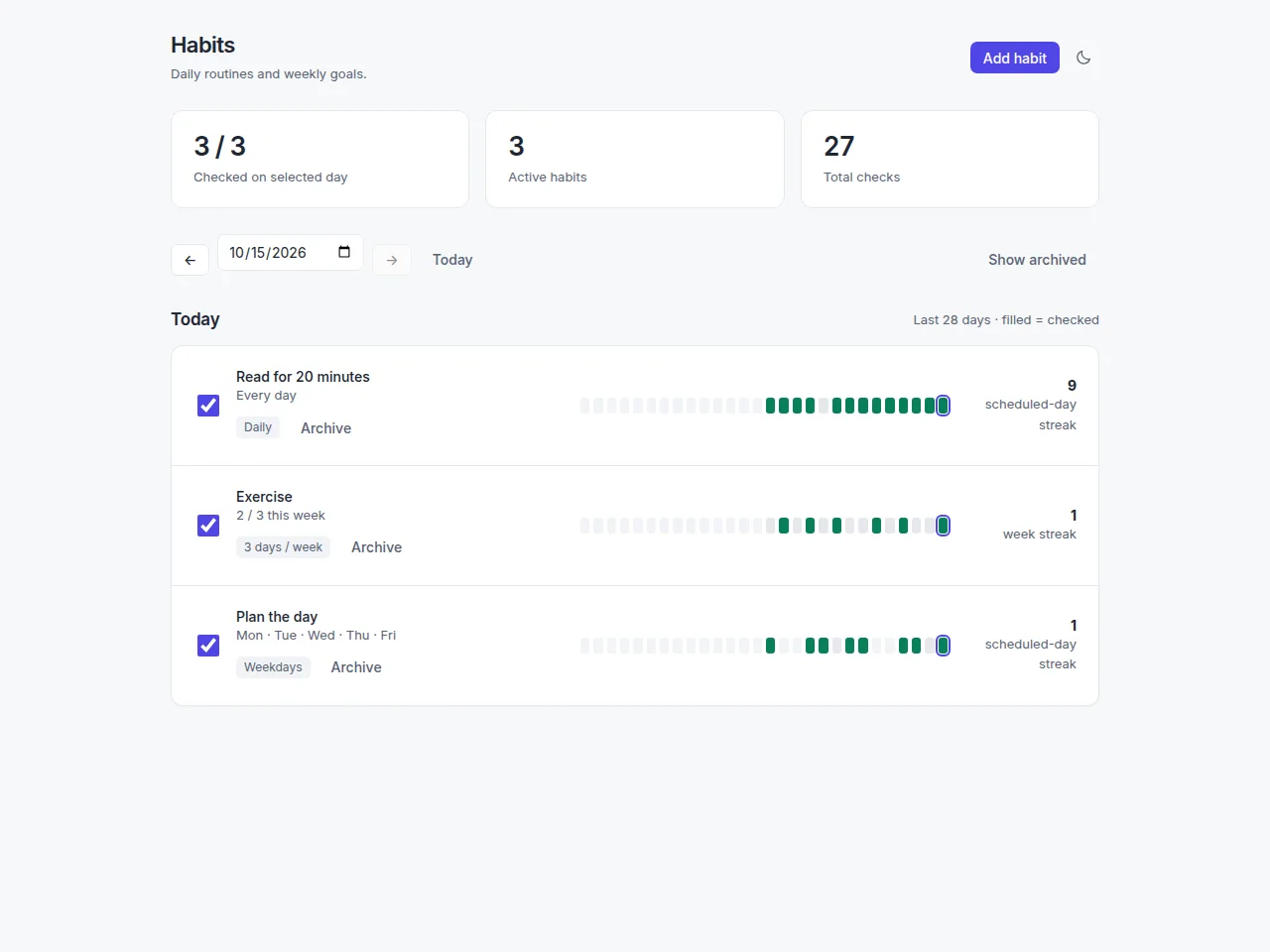
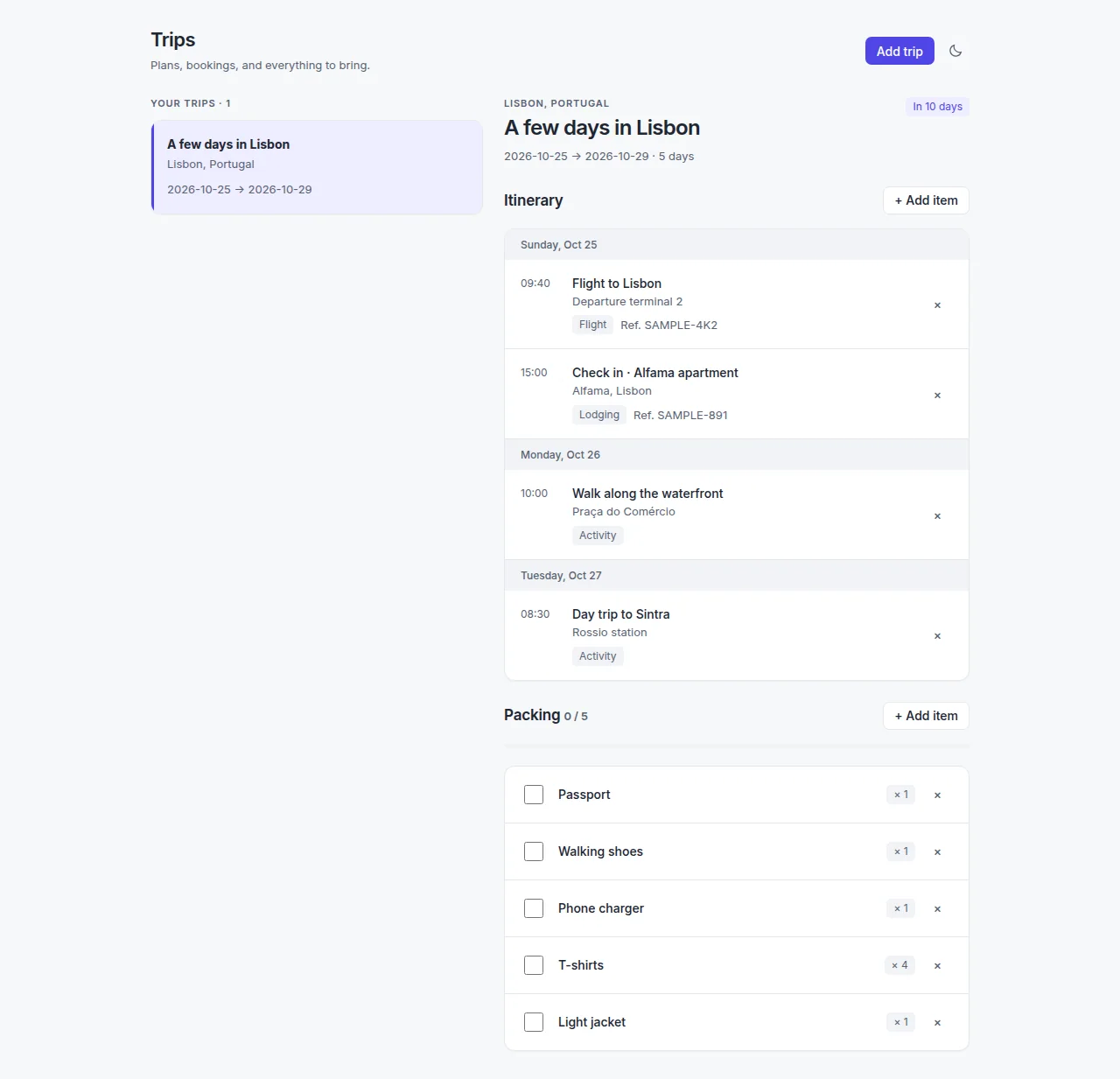
Workouts keeps distance, duration, pace, and elevation as separate activity fields rather than a single text record.Pantry tracks products as stock lots with quantities, units, and best-before dates, the data used by expiry reminders.Reading Log separates shelves, reading progress, ratings, and completion dates, which lets workflows distinguish finishing a book from rating it.Habits shows check-ins and streak history for daily and weekly goals, the events used by habit reminders and summaries.Trips groups an itinerary and packing list under one trip, providing structured items for travel workflows.